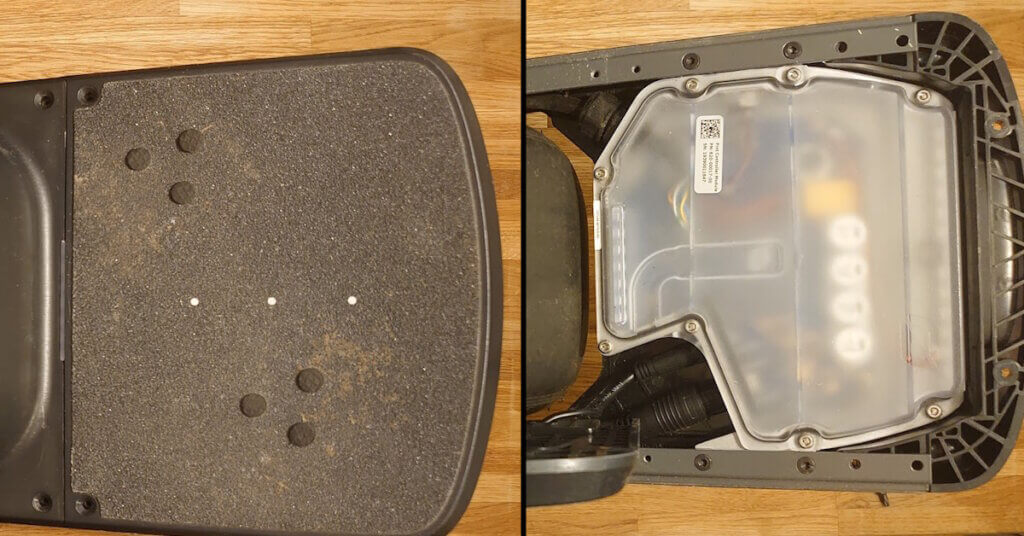
Replacing the footpads on a Onewheel Pint is a straightforward maintenance task that keeps the board responsive and safe to ride. The rear footpad is simple to swap, while the front footpad requires careful handling of the sensor connector. With the right tools and a methodical approach, the full installation takes about half an hour and can be done at home without special equipment.
What you will need:
- Pint Footpad Tool
- Torx T20 – Star hex tool
Safety and Preparation
Before removing the footpads, place the board on a stable surface. Avoid resting the board on uneven ground since it can shift when you remove the screws. Inspect the underside for debris or sand that may affect the fit of the new footpad.
If you are replacing a damaged sensor footpad, handle the connector carefully. The cable is thin and can be strained if the footpad is lifted too far from the board.
Recommended Torque and Screw Handling
The screws on the Pint footpads do not require high torque. Tighten them by hand until they seat firmly. Overtightening can strip the threads in the footpad or the board housing. When installing the new footpad, keep all screws slightly loose until every screw is threaded. This prevents misalignment.
Instructions
There is a small difference between installing the front and rear footpads. The front footpad includes the pressure sensor, and its connector must be attached to the main controller during installation.
Back footpad:
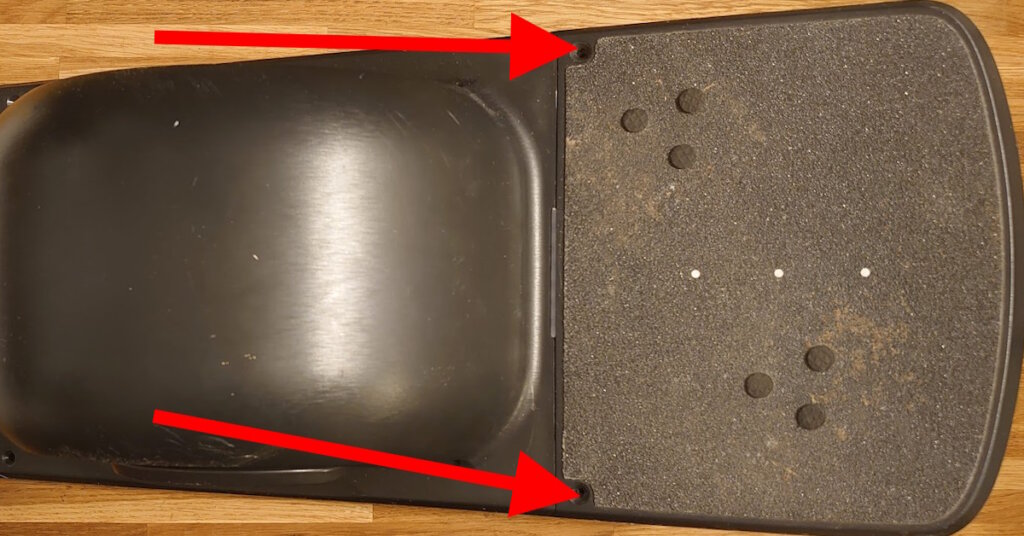
- Start by removing the six screws from the back footpad. There are four on the bottom and two on the top.
- Flip the footpad over and remove the footpad. *There is nothing to disconnect or do
- Place the new footpad on the board and align the holes.
- Screw in the two top screws, but don’t tighten them all the way yet.
- Flip the board over and screw in the four on the underside.
- Tighten all the six screws on the back footpad.
Front footpad:
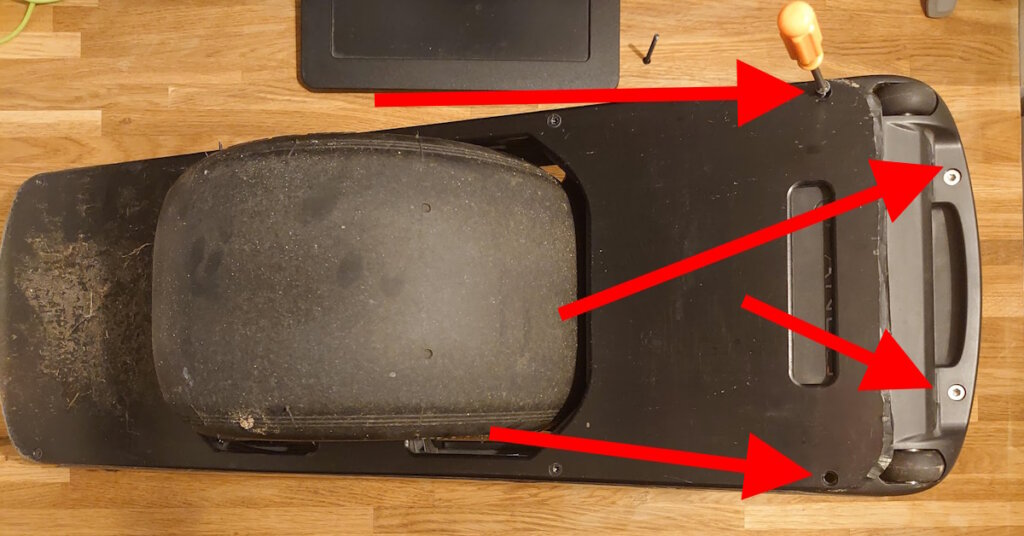
- Start by removing the four bottom screws from the underside of the footpad.
- Flip the footpad over and remove the two top screws.
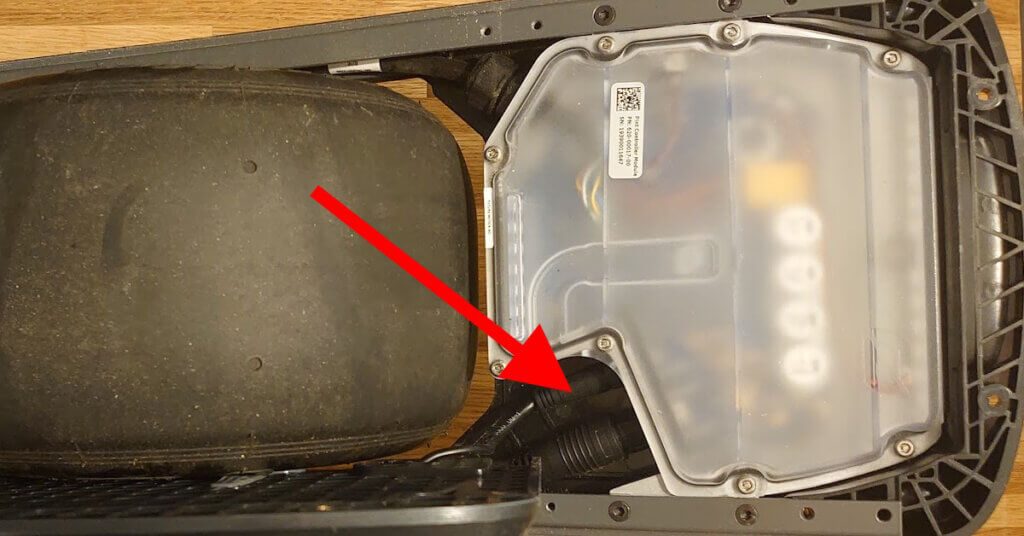
- Lift the footpad and rest it on the Onewheel tire to allow you to safely disconnect the footpad connector. *Use the included tool to not damage the sensor cable
- Place the new footpad on the board, resting on the tire, and align the cable. *The notch and arrow on the cable should be pointing upwards when installing.
- Screw in the connector with the tool and tighten it securely.
- Screw in the two top screws, but don’t tighten them all the way yet.
- Flip the board over and screw in the rest.
- Tighten the six screws on the front footpad.
- Test the footpads by turning on your board and making sure the sense pads are working.
Post‑Installation Checklist
- Power on the board and verify that both sensor zones activate.
- Step lightly on each zone to confirm proper response.
- Inspect the gap between the footpad and the frame to ensure it is even.
- Ride slowly for the first few minutes to confirm stable engagement.
Troubleshooting
The screws do not line up: Loosen all screws slightly and shift the footpad by hand. The footpad can sit a few millimeters off‑center if the first screws are tightened too early.
The sensor does not activate: Check the connector alignment and reseat it. Make sure no debris is trapped under the footpad.
The board gives a sensor error: Restart the board. If the error persists, reconnect the cable and inspect the connector for damage.
Tips:
- It is helpful to keep all of the screws loose until you have all of them started, then tighten them one at a time.
- Be careful not to overtighten the screws, as this can strip the threads.
- If you are having trouble connecting the footpad connector, make sure that the arrow on the connector is aligned with the notch on the footpad.
- When installing the new footpad, it’s recommended to only screw in the screws a touch, rather than all the way. This is because if you tighten just these two screws and then flip the board over to mount all the other screws, it might be shifted off a little bit from the screw holes. To avoid this issue, keep all the screws fairly loose when installing and then sequence them around.
- You can also find many helpful tips and tricks for riding your Onewheel Pint online or in your local Onewheel community.
- Changing the footpad to an upgraded one like the new Pint (X) Flared Footpad will enhance the riding experience of the Onewheel Pint and Pint X, offering more platform, more comfort, and more control